Introduction
Did you know that a significant number of companies worldwide leverage APIs to enhance their digital experiences? As a crucial component of digital transformation, APIs are essential for integrating systems and enabling seamless data flow. However, without effective API management, businesses may face security vulnerabilities, performance issues, and scalability challenges. API managers help address these concerns by providing tools and solutions to streamline and secure API usage, ensuring efficient and safe operations.
An Application Programming Interface (API) is a set of rules that allows different software applications to communicate with each other. For businesses, managing APIs is crucial because it ensures secure and efficient data exchange, enhances system interoperability, and supports scalable operations. Proper API management helps prevent security breaches, optimize performance, and maintain reliable service delivery.
The purpose of this article is to explore the key features and benefits of API managers and provide a practical demonstration of how they streamline API management processes. We will examine how API managers enhance security, performance, and scalability, making them indispensable tools in the modern digital landscape.
Understanding API Management
What is an API Manager?
An API Manager is a tool that helps create, deploy, manage, and secure APIs. Key features include:
- API Creation and Deployment: Tools for designing and deploying APIs.
- Security Management: Implementing API keys, OAuth, JWT, and access control.
- Traffic Management: Rate limiting, throttling, and quotas to manage traffic.
- Monitoring and Analytics: Insights into usage, performance, and errors.
- Developer Portal: Resources and documentation for developers.
- Lifecycle Management: API versioning and deprecation management.
Benefits of Using an API Manager
- Improved Security: API Managers implement robust security measures, such as authentication, authorization, and data encryption, protecting APIs from unauthorized access and potential threats.
- Enhanced Performance: By managing API traffic through rate limiting and caching, API Managers help optimize performance, reduce latency, and ensure consistent response times, even under heavy load.
- Better Developer Experience: Developer portals and comprehensive documentation provided by API Managers simplify the integration process, making it easier for developers to understand and use APIs effectively. This fosters a more collaborative and efficient development environment.
- Scalability and Reliability: API Managers facilitate scalability by efficiently handling increased traffic and load balancing. They also enhance reliability through features like automated failover and monitoring, ensuring that APIs remain available and performant even during peak times or system failures.
Overview of Popular API Managers
Overview of Top API Managers
- Apigee: Owned by Google, Released in 2004, Offers Full lifecycle API management, including security, analytics, and developer portals.
- WSO2 API Manager: Owned by WSO2 Inc., Released in 2012, Offers Open-source API management for designing, securing, and publishing APIs.
- AWS API Gateway: Owned by Amazon Web Services, Released in 2015, Offers API creation and deployment, security, and monitoring, with easy AWS integration.
- Azure API Management: Owned by Microsoft, Released in 2014, Offers API gateway, management, security, and analytics.
Demonstration: Creating and Managing an API
In this section, we will use the WSO2 API Manager to demonstrate the process of creating and managing an API and testing it. For the installation process, you can refer to the official documentation at WSO2 API Manager Documentation.
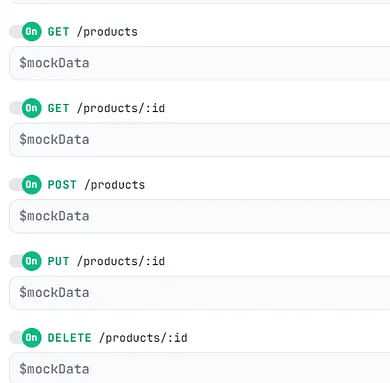
Let’s assume our backend is a mock API, designed to handle a list of products including productName, quantity, and id. This API will support CRUD operations.
API Creation
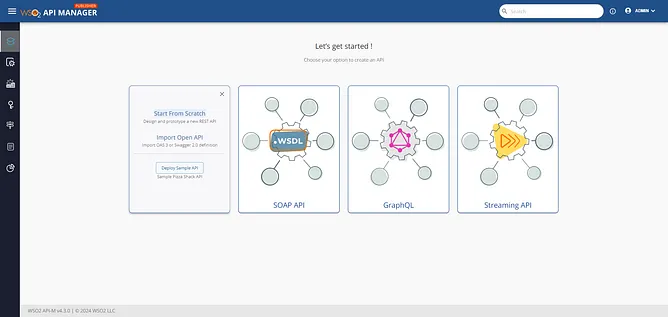
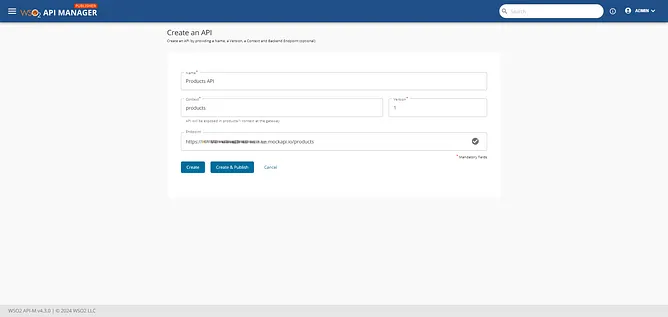
First, we choose our API type, in this case, a REST API, and start from scratch. Specify the API name, context, version, and backend endpoint, then we will click create.

Configuration and Deployment
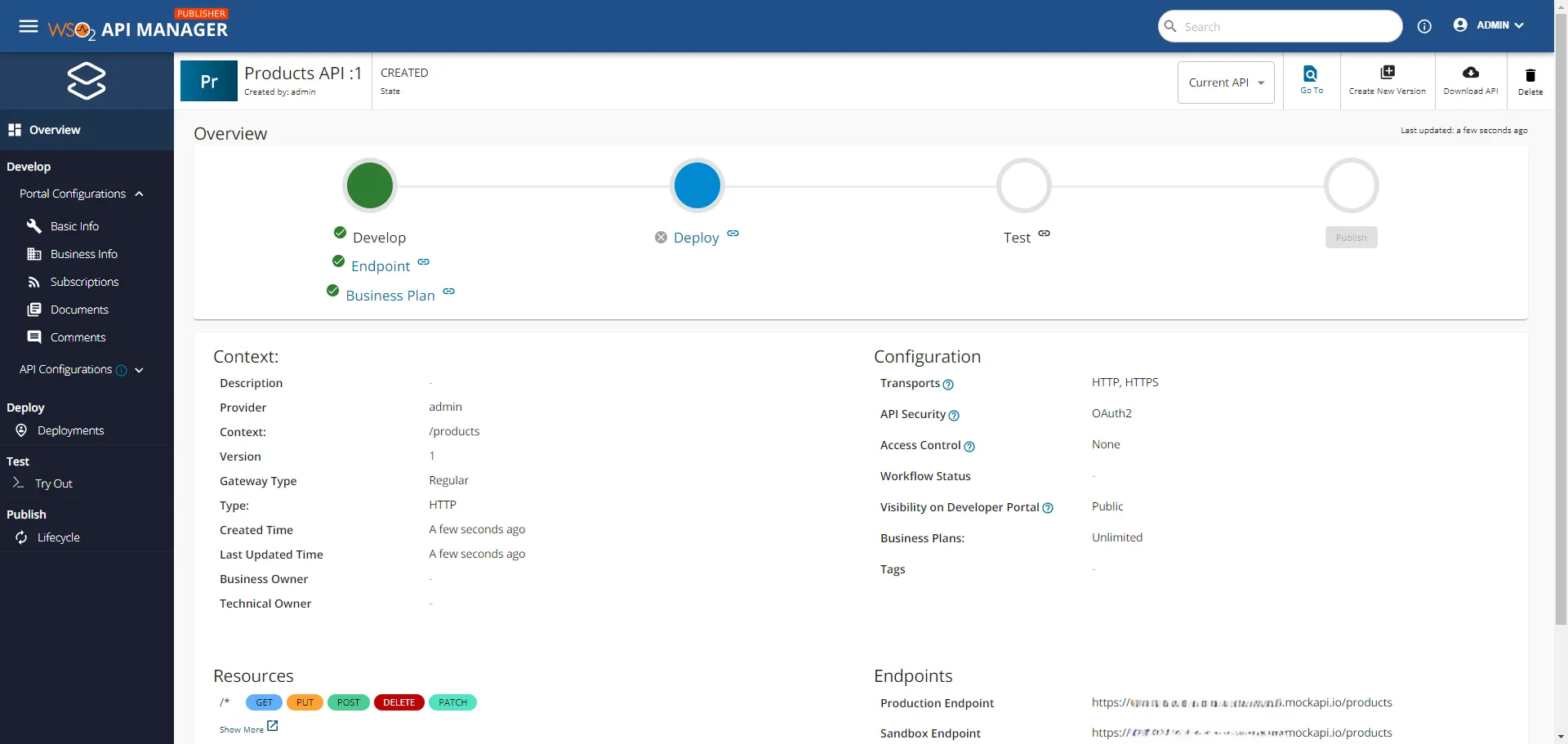
On the API overview page, you will find details such as the status, context, configuration, resources, and endpoints. The left menu includes Portal configuration, offering information about the API and business, including subscriptions, documents, and comments. This configuration primarily aids developers subscribing to the API. For this demonstration, we will focus on API configurations.
Runtime Configurations:
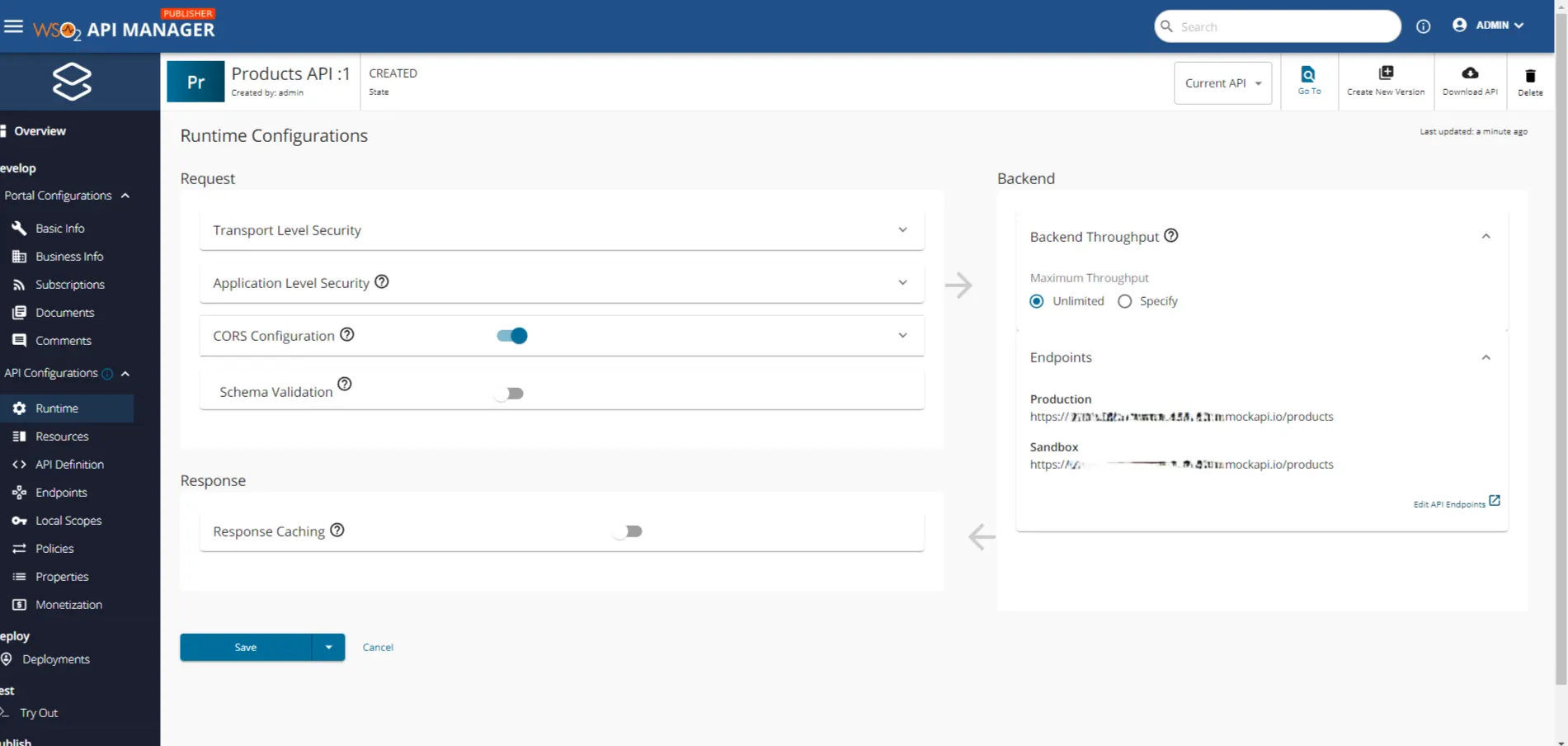
Enable CORS (Cross-Origin Resource Sharing) and save.
Resource Definition:
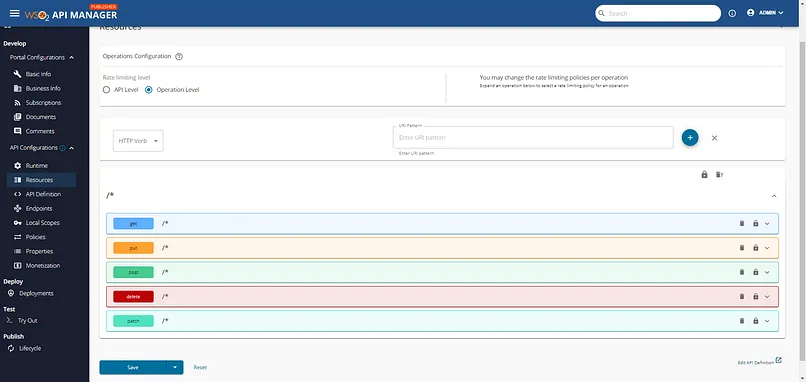
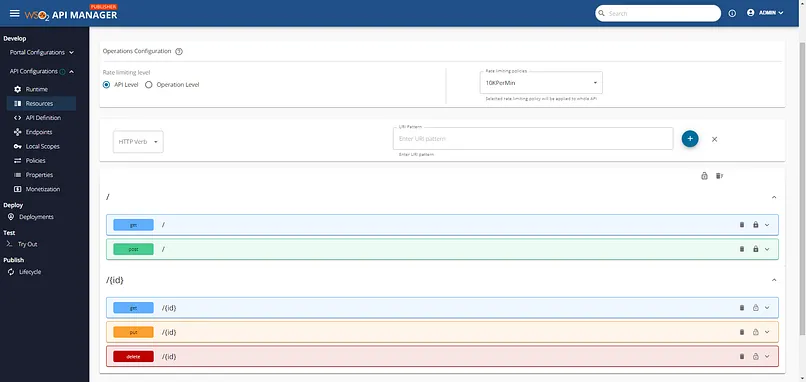
Define API resources, replacing default HTTP method resources with those supported by our backend. Set a rate limiting policy at the API level, allowing 10k requests per minute and save.
Policy Application:
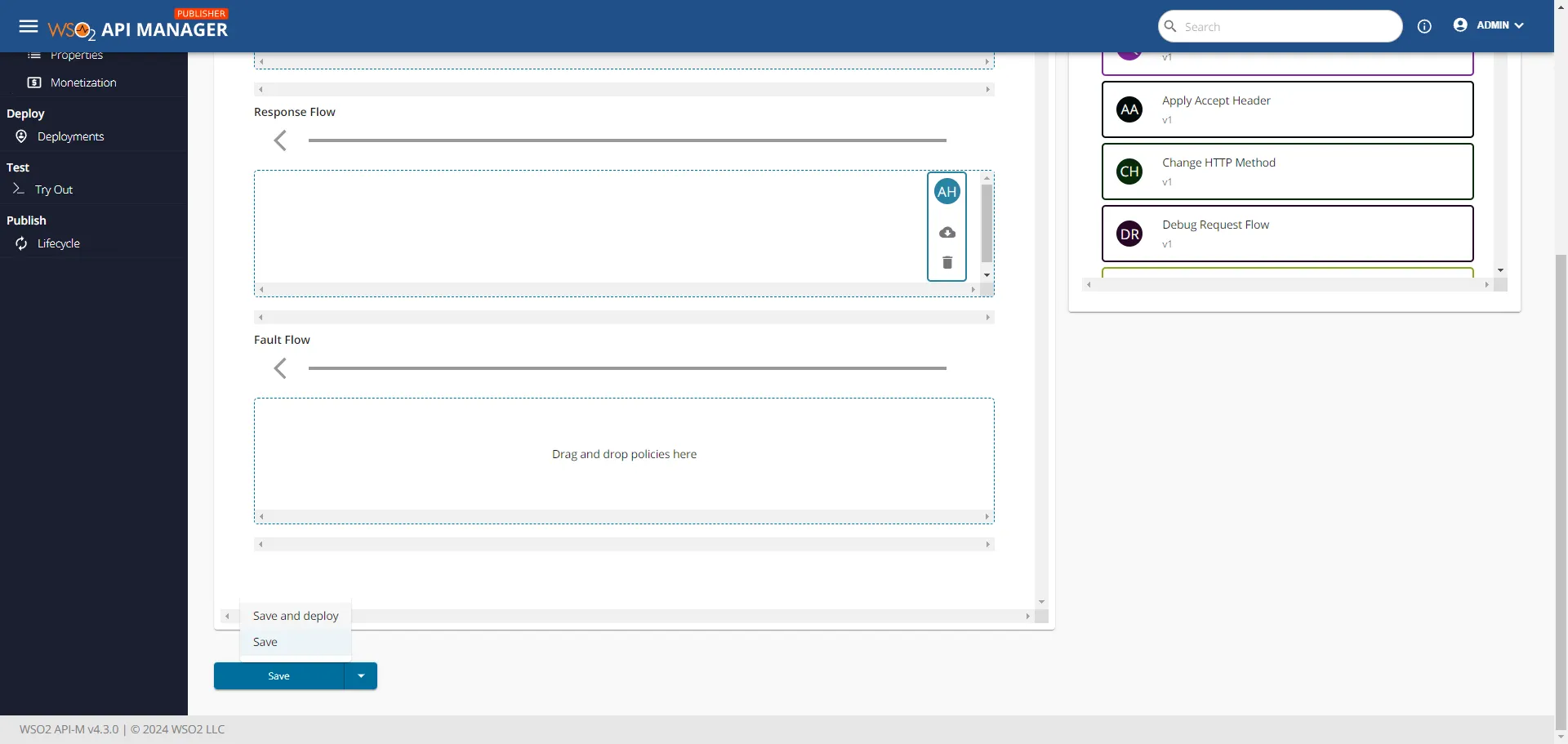
Add request, response, or fault policies at the API level. For this demo, an “Add Header” policy is applied to the response flow.
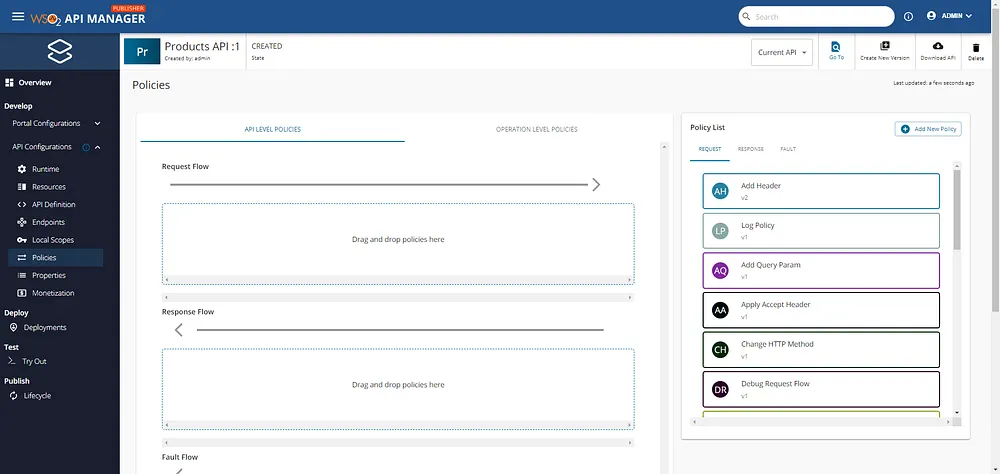

After configuring and saving the settings, the API is ready to be saved and deployed.
Testing the API
To ensure the proper functionality of the API we need to test all the resources.
GET All Request:
Retrieves a list of stored products.

GET by Id Request:
Returns a product by its id.

POST Product Request:
Adds a new product to the list.

PUT by Id Request:
Modifies a specific product’s data, such as updating the quantity.

DELETE by Id Request:
Deletes a specific product by id.

Checking the response headers:
To ensure that the custom header added during the API configuration is present and correct.

Conclusion
API Managers play a pivotal role in modern digital infrastructure, offering comprehensive tools to ensure secure, efficient, and scalable API management. By implementing API Managers, businesses can enhance security, optimize performance, and improve the developer experience, thus facilitating smoother and more reliable digital interactions.
These functionalities are not exhaustive; API Managers offer a wide range of additional features like API monetization, advanced analytics, and custom policy enforcement. As the digital landscape continues to evolve, API Managers will remain essential in helping organizations navigate and optimize their API ecosystems.