Quick definition of BFF
Backend-for-Frontend (BFF) is an architectural pattern focused on designing frontend-specific backends.
What BFF solves
BFF is proposed as a solution to the following:
- Instead of one general backend serving multiple clients (web, mobile, etc.), there should be a backend tailored to each client.
- On mobile devices, multiple service calls increase network radio usage, leading to overheating and significant battery drain.
Before vs After comparison
In a traditional backend, consider a mobile client. When the app requests data from the backend (e.g., GET /products), the backend typically returns all product-related data.
Users may notice their devices getting hot and the battery draining quickly. This is mainly caused by:
- Multiple HTTP round trips
- High usage of the device’s network module
- Returning data that is not needed at that moment
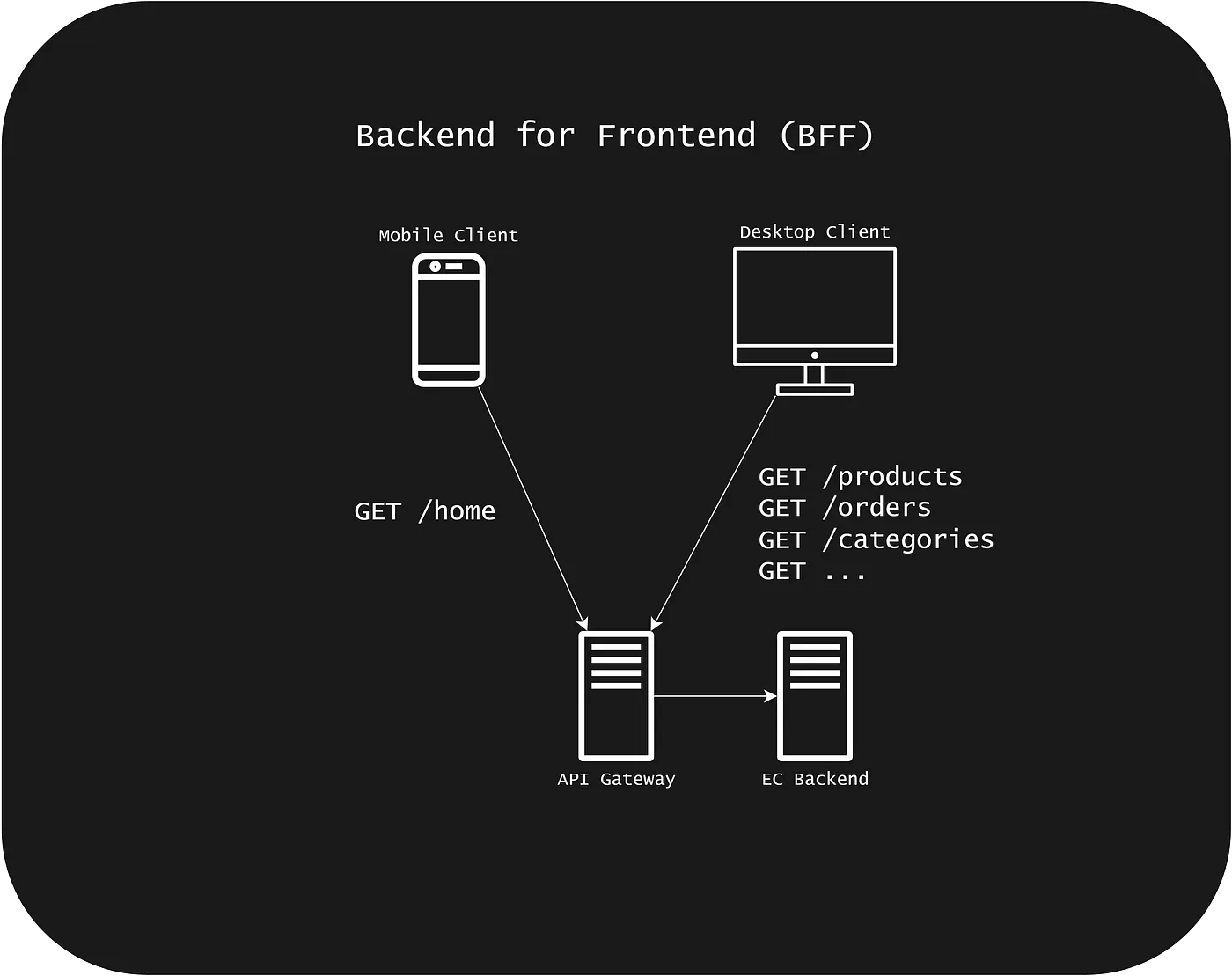
With BFF, using the same example, when the user navigates to the products page, the app calls GET /bff/products.
The backend returns only the data required for that specific screen — nothing extra. This eliminates unnecessary round trips and reduces network usage, resulting in a smoother app that doesn’t overheat or drain the battery abnormally.
To put it simply:
1 HTTP request (100 KB) can, in some cases, be cheaper than 5 HTTP requests (20 KB each), because network wakeups and latency keep the device’s radio active for longer.
Core architecture
In a typical backend architecture, both desktop and mobile clients request the same data from a shared backend. While this approach works, it introduces inefficiencies — especially for mobile clients.
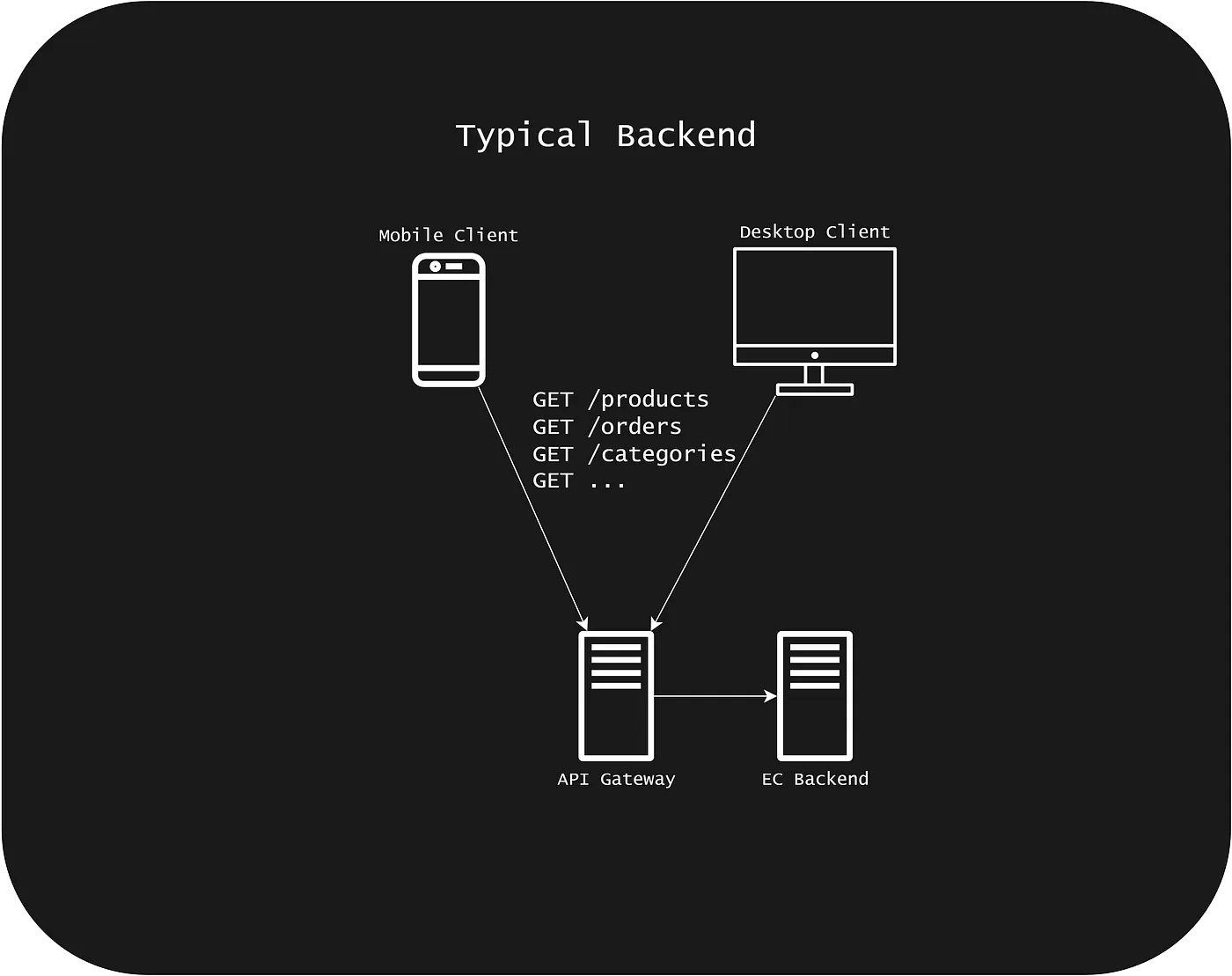
With BFF, we design frontend-specific backends that provide only the necessary data, minimizing round trips.
In this example, we use a lightweight BFF implementation to simplify the demonstration.
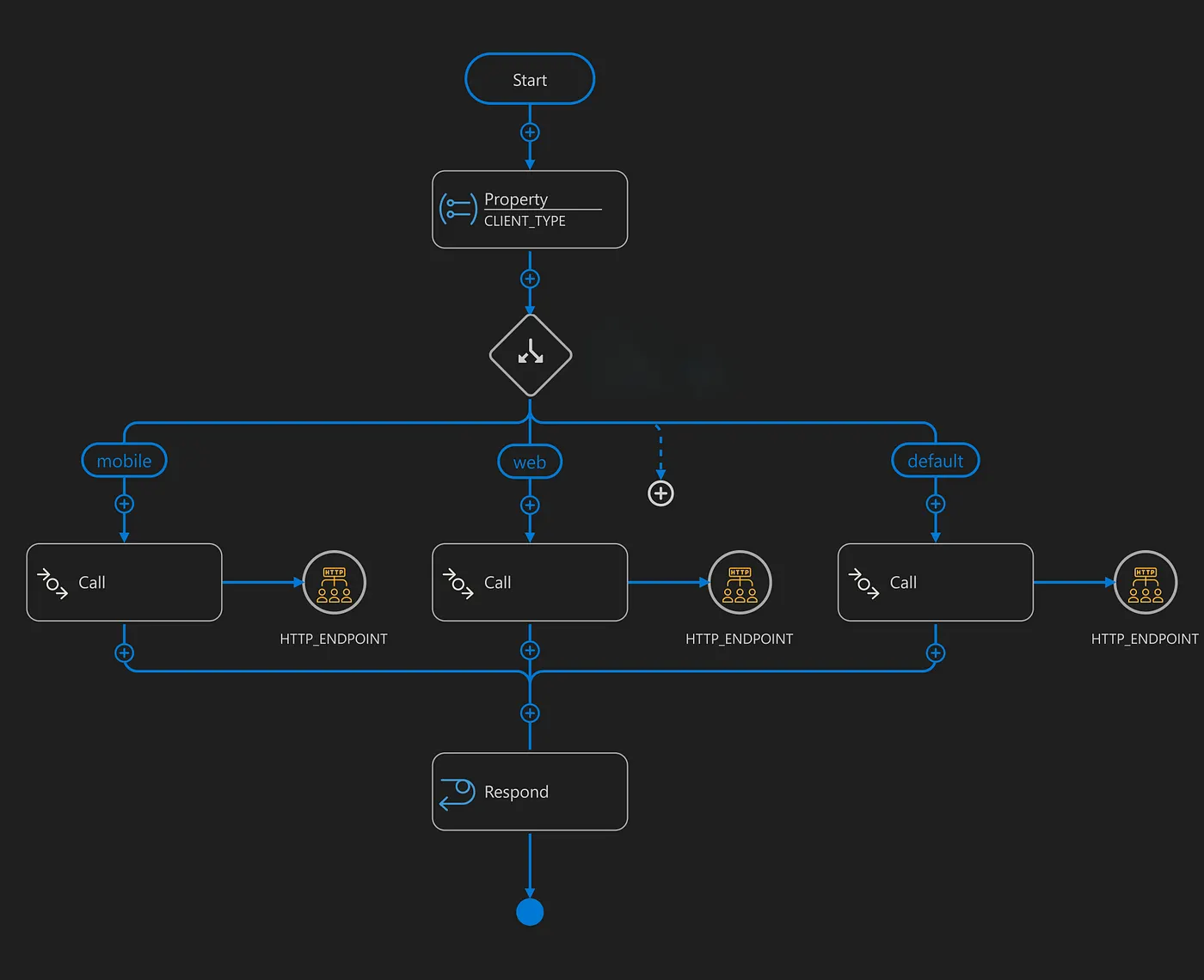
A simple integration at the API gateway layer would work as follows: the gateway checks a custom header such as X-Client-Type, then routes the request to the appropriate endpoint.
You might ask why we don’t use the User-Agent header. Since we control all systems in this scenario, using a custom header is simpler and more reliable.
Real-world example
Let’s look at three examples:
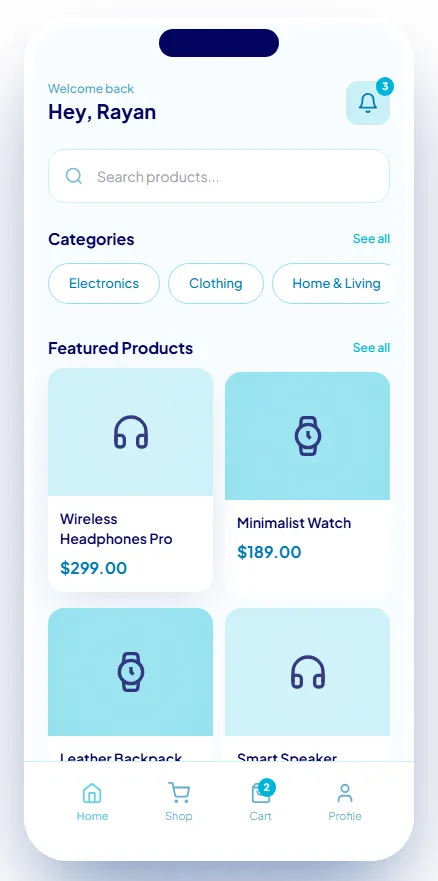
Home screen
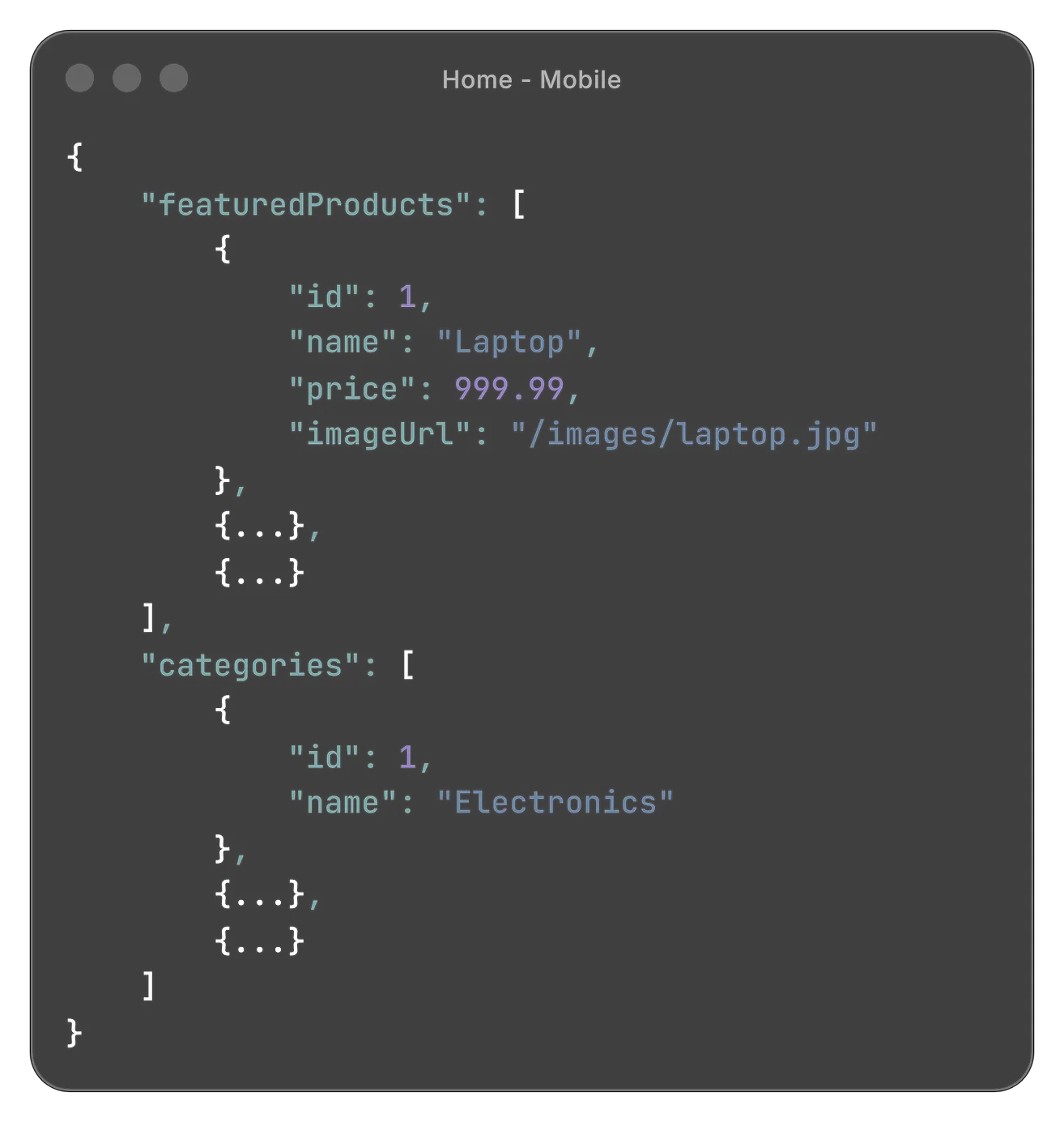
The mobile app displays categories and featured products.
In a traditional backend, this would likely require two HTTP calls. With BFF, both are returned in a single response containing only the necessary data for that screen.
Even if the payload is slightly larger, it is still more efficient due to fewer network calls.
All products screen
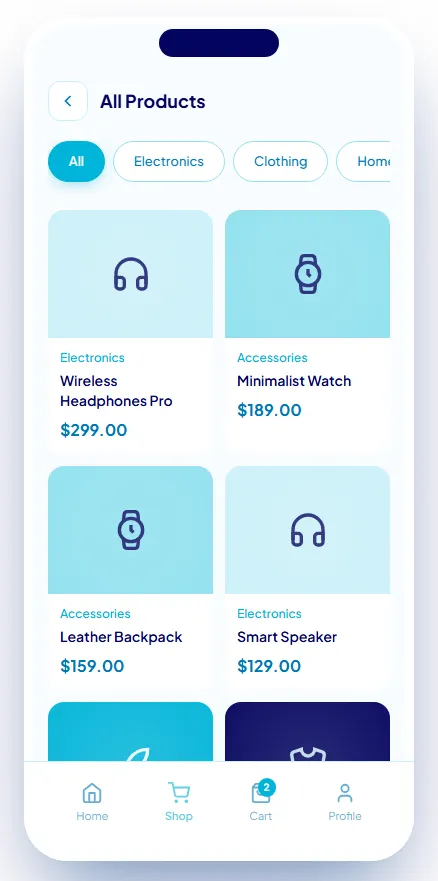
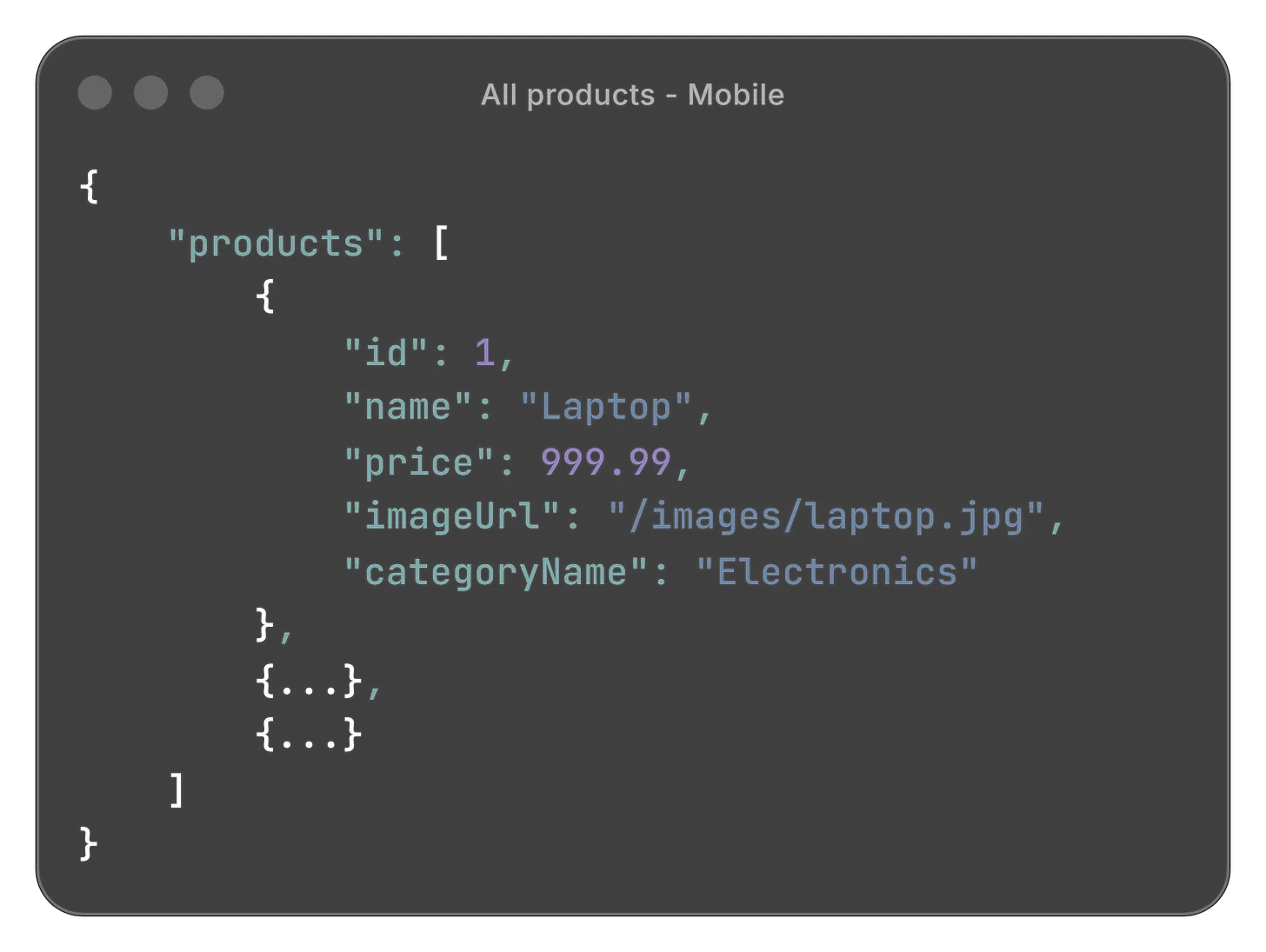
The UI shows both categories and products, but the response returns only the products.
Why? Because categories rarely change. Once fetched, they can be cached and reused instead of being requested again — reducing unnecessary calls and improving efficiency.
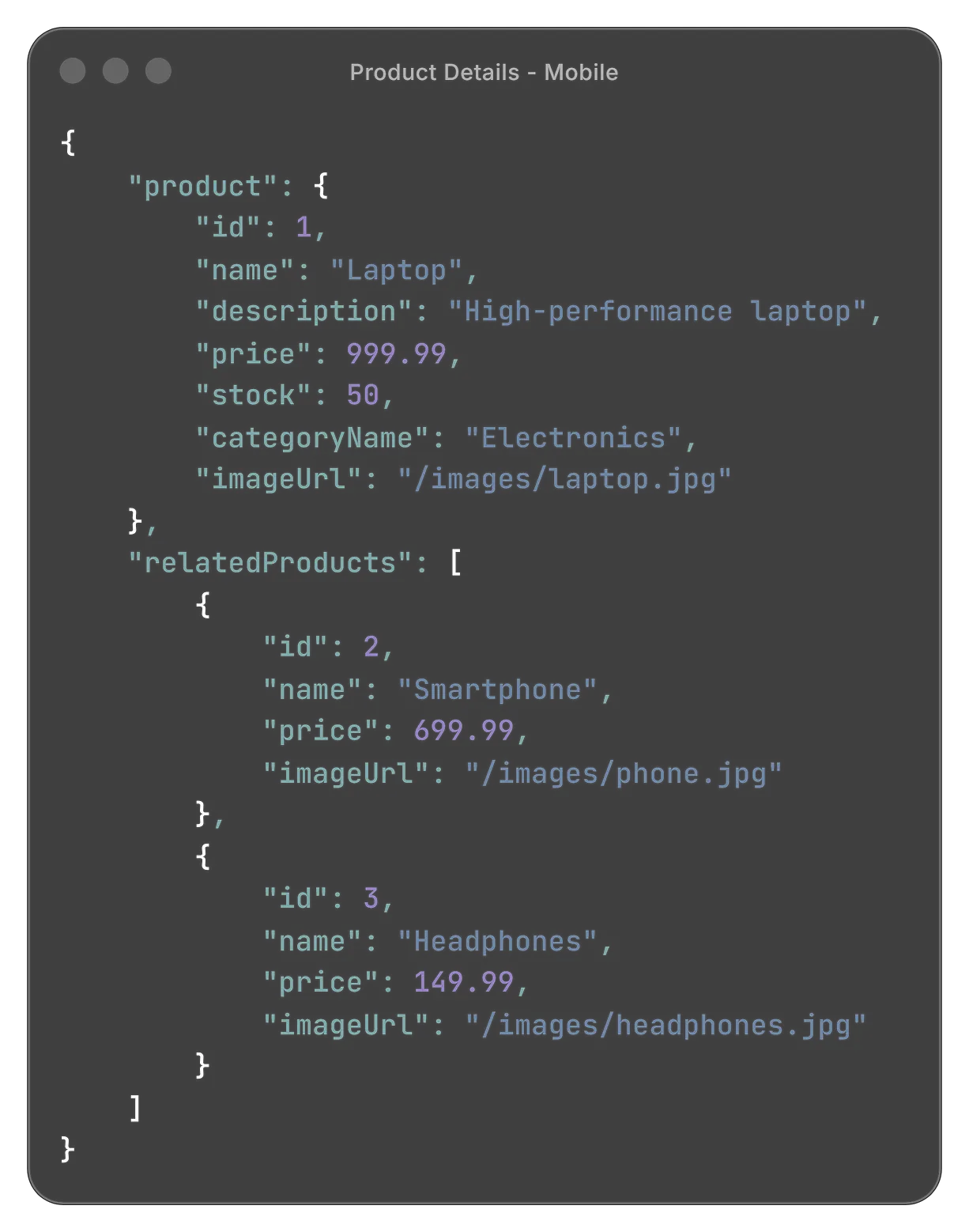
Product details page
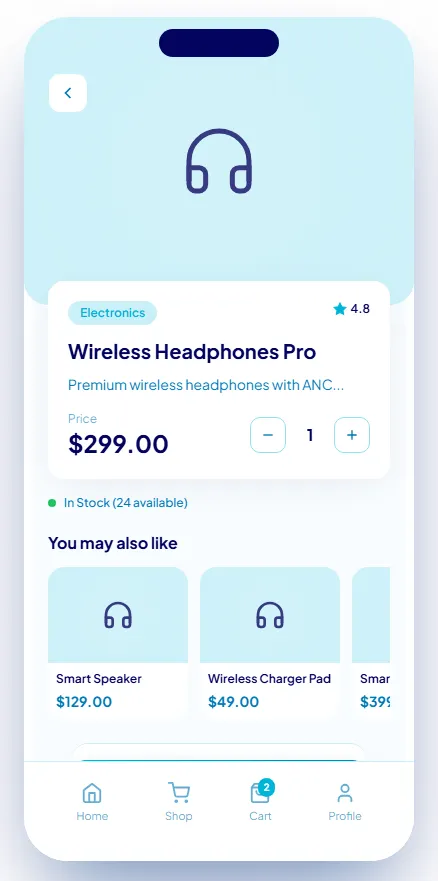
The response includes full product details along with a minimal set of related products, avoiding unnecessary overfetching.
Trade-offs / when NOT to use it
- Adds architectural complexity
- Possible duplication across BFFs
- Higher maintenance cost
- Overkill for simple or single-client systems
- Can become a bottleneck if poorly designed
Conclusion
BFF is about designing APIs around client needs — delivering the right data, in the right shape, at the right time.