A Scenario: The Problem
Scenarios vary, but consider a simple example: a team initially decides to use Java for a project. However, due to unforeseen circumstances, the team decides to switch to .NET after significant progress has already been made.
But here’s the catch: should the team continue using the existing Java project alongside the .NET application, or should they rewrite the project from scratch in .NET? There are many trade-offs to consider, and the decision is not an easy one.
In my case, I have a grammar checker built using Java, and now I need to port it to .NET. We will explore how to do this throughout the article.
What Is IKVM and How Does It Work?
IKVM is an implementation of Java Virtual Machine (JVM) for .NET
IKVM works in two ways:
Executes Java code in .NET: Allows Java libraries (JAR files) to be used from .NET applications.
Converts Java bytecode into .NET-compatible assemblies (DLLs) that can be referenced by .NET projects.
Its components include:
- A Java virtual machine (JVM) implemented in .NET
- A .NET implementation of the Java class libraries
- A tool that translates Java bytecode (JAR files) to .NET IL (DLL or EXE files).
- Tools that enable Java and .NET interoperability
- A full JRE/JDK 8 runtime image.
From JAR to DLL: Differences and Guides
A JAR file combines the compiled java code and other related resources. According to Oracle’s JAR documentation, you can follow these steps to build a Java project and produce a JAR file.
In .NET, code and related resources can be compiled using the dotnet build command. The resulting output may include a DLL and other files, as explained in Microsoft’s official documentation.
Integrating the Grammar Checker into a .NET Application
As mentioned in the problem statement, the grammar checker was originally implemented in Java.
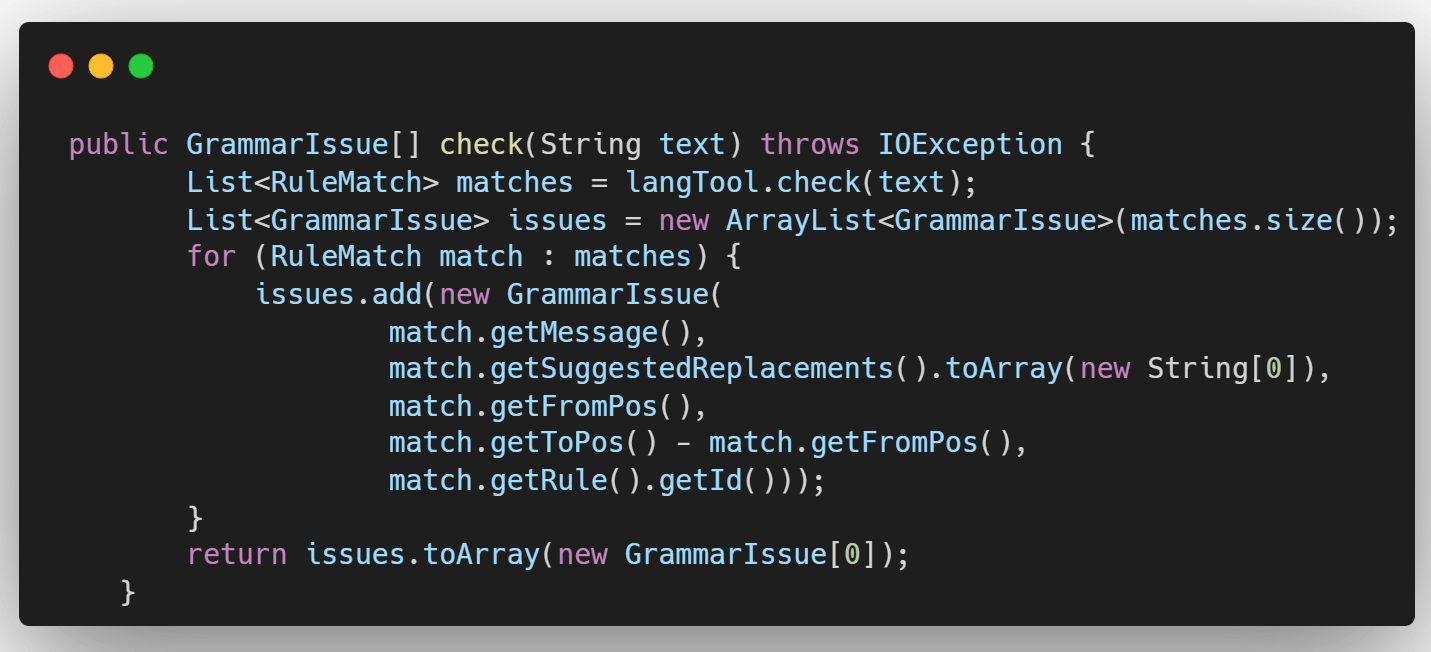
To use it in my .NET project, I first need to compile the Java application. Following the Oracle guide mentioned in the previous section, I can generate the required JAR file.
To use this JAR file in my .NET application, I first need to add the application JAR and all its dependencies to the project.
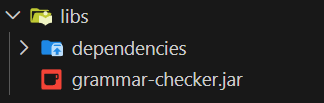
Next, I need to install IKVM from NuGet:
PM> Install-Package IKVM
Then, I need to reference the grammar checker JAR and all its dependencies in the project’s .csproj file so that they can be compiled into .NET assemblies.
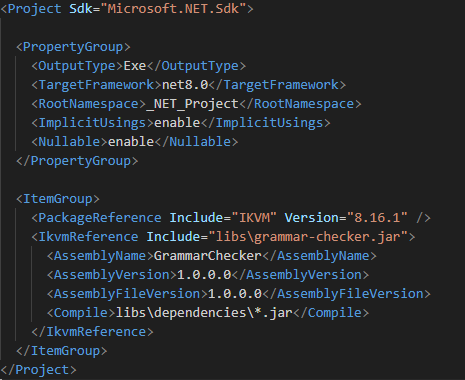
After that, the integration is almost complete. All I need to do is build my .NET project to generate the assemblies required by my application.
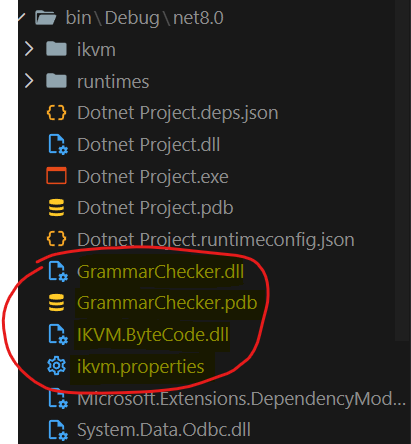
As shown above, the grammar checker has been converted from a JAR file into a DLL. This demonstrates IKVM’s ability to make compatible Java libraries available to .NET applications.
I can now reference the library in my C# code using the following using statement:
using com.grammarchecker.grammar;
I can then call the functions provided by the library, instantiate objects, and perform other operations. For example:
var checker = new GrammarChecker(LanguageCode.ENGLISH);
var issues = checker.check(text);
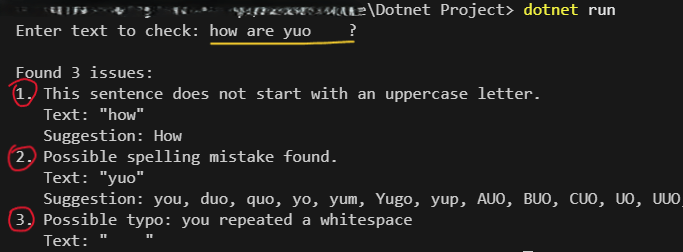
Below is a demonstration of the grammar checker running in a .NET application. The input text is how are yuo ?.
Key IKVM Limitation
- Java version compatibility: IKVM officially supports Java SE 8 and this could pose a limitation when using libraries or applications that require newer Java features.