Software Architecture Diagrams: Three Generations of Evolution
Software architecture diagrams have always been an essential part of system design. Whether documenting an existing platform, proposing a new solution, or explaining a complex workflow to teammates, diagrams often communicate ideas much faster than paragraphs of text.
However, the way we create these diagrams has changed significantly over the years.
We started by manually drawing every component, moved towards treating diagrams as code, and are now entering a new phase where AI can generate complete architecture diagrams from natural language requirements.
This evolution isn’t just about new tools. It’s about moving to higher levels of abstraction, allowing engineers to focus more on designing systems than producing documentation.
In this article, we’ll explore the three generations of architecture documentation and discuss why AI + D2 has become my preferred workflow.
The First Generation: Manual Drawing
For many years, architecture diagrams were simply drawings.
Whenever we needed to document a system, the workflow looked something like this:
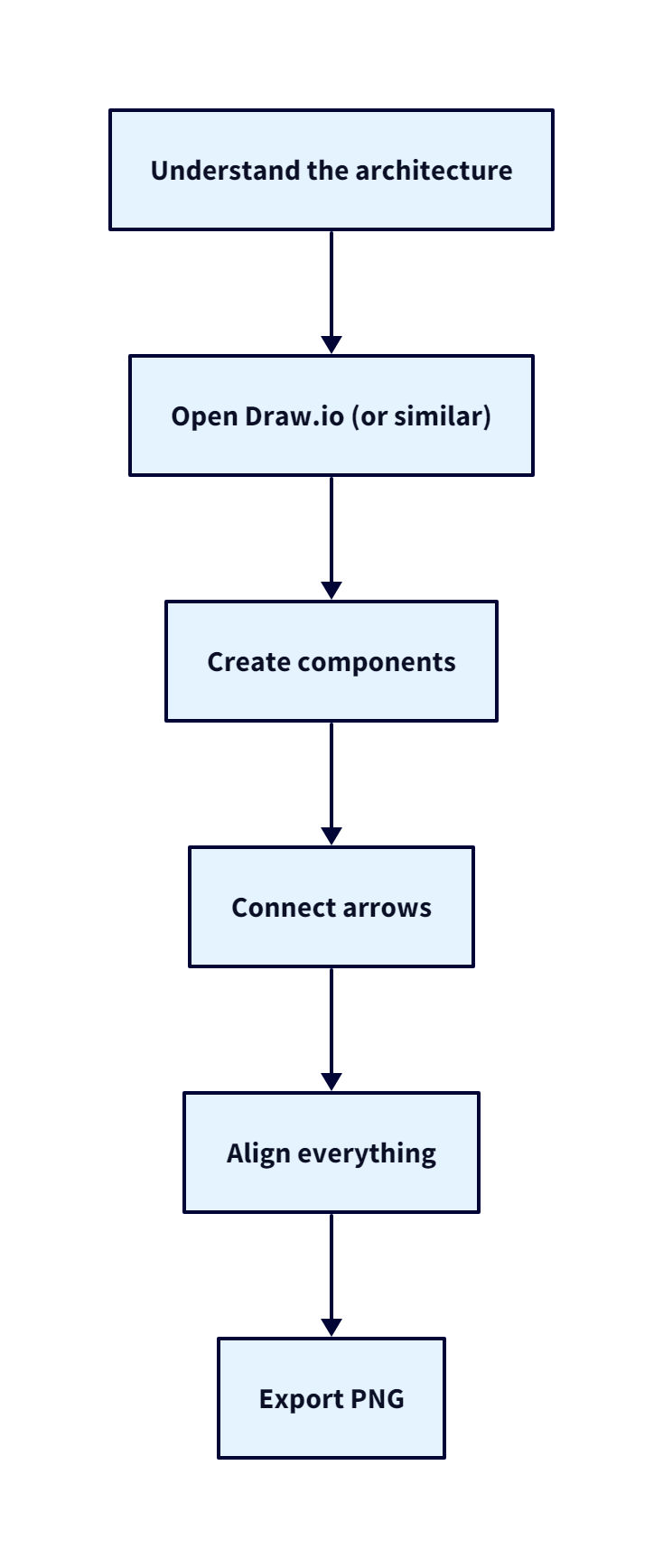
This approach is still widely used today, and for good reason.
Visual editors provide complete freedom over the layout, making them excellent tools for brainstorming sessions, whiteboard discussions, and early design phases. Every component can be positioned exactly where you want it, making it easy to communicate ideas visually.
However, as projects grow, the disadvantages become increasingly apparent.
Updating an architecture diagram means opening the editor again, moving components, reconnecting relationships, adjusting spacing, and exporting another image.
Eventually, many teams stop updating their diagrams altogether.
The result is something we’ve all encountered:
An architecture diagram that no longer reflects the actual system.
The problem isn’t Draw.io or any other visual editor.
The problem is that the diagram becomes a static artifact.
Like any other piece of documentation, architecture should evolve alongside the codebase.
Unfortunately, manually maintained images rarely do.
The Second Generation: Diagram as Code
As software engineering embraced concepts like Infrastructure as Code and Configuration as Code, diagrams naturally followed the same direction.
Instead of drawing boxes and arrows manually, developers started describing their systems using a domain-specific language (DSL), allowing a rendering engine to generate the final visualization.
This introduced the concept of Diagram as Code.
Popular examples include:
- PlantUML
- Mermaid
- D2
Rather than storing an exported image, teams stored the diagram definition itself.
architecture.puml
architecture.mmd
architecture.d2
This seemingly small change had a significant impact.
Architecture diagrams became version-controlled, making them easier to review, track, and maintain. Developers could review diagram changes during Pull Requests, track modifications over time, and keep diagrams in sync with the source code.
Instead of manually updating an image, developers updated the source that generated the diagram. This made Diagram as Code a major improvement over traditional diagramming.
However, it did not eliminate manual work. Developers still had to write the diagram definitions themselves. The work simply shifted from drawing components visually to describing the architecture in another language.
Why D2?
Among the different Diagram as Code solutions, D2 quickly became my preferred choice.
Unlike older DSLs that often feel focused on UML syntax or verbose definitions, D2 focuses on describing systems using a clean and declarative language.
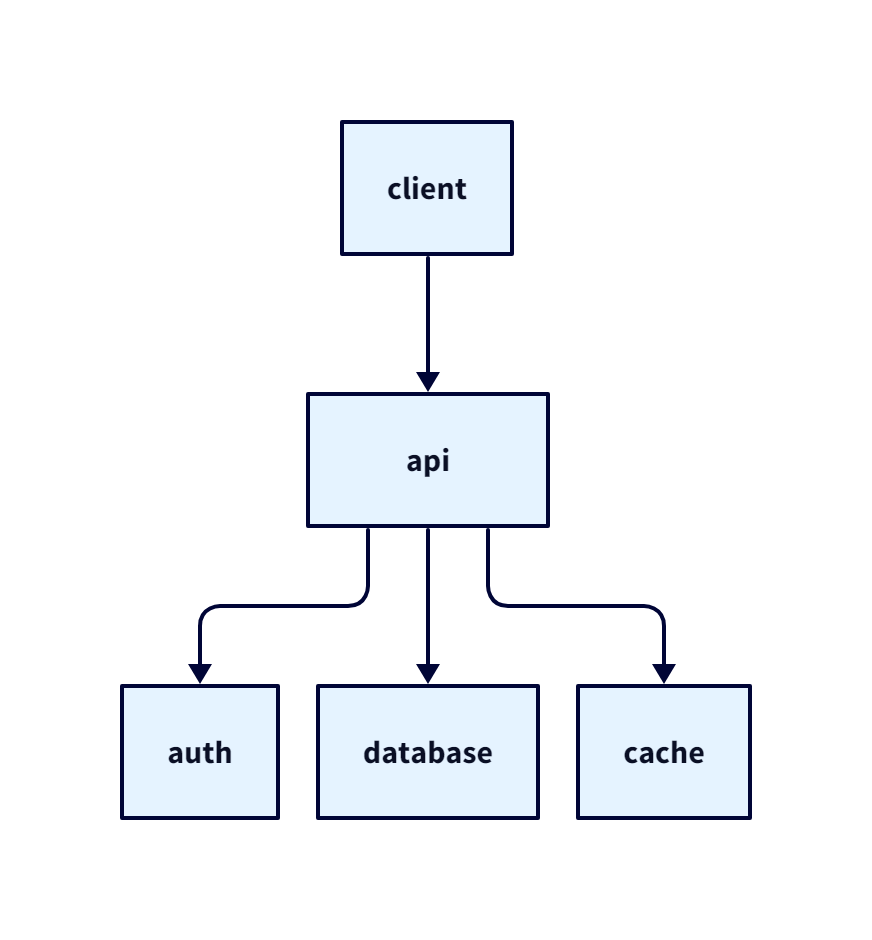
For example, instead of spending time defining layouts or positioning components, a simple architecture can be expressed as:
client -> api
api -> auth
api -> database
api -> cache
That’s it.
The rendering engine automatically determines an appropriate layout.
As the system grows, you continue describing relationships rather than manually reorganizing the diagram.
This is very similar to how Infrastructure as Code changed cloud provisioning.
When using Terraform, we don’t describe how AWS should provision a virtual machine.
We simply describe what infrastructure should exist.
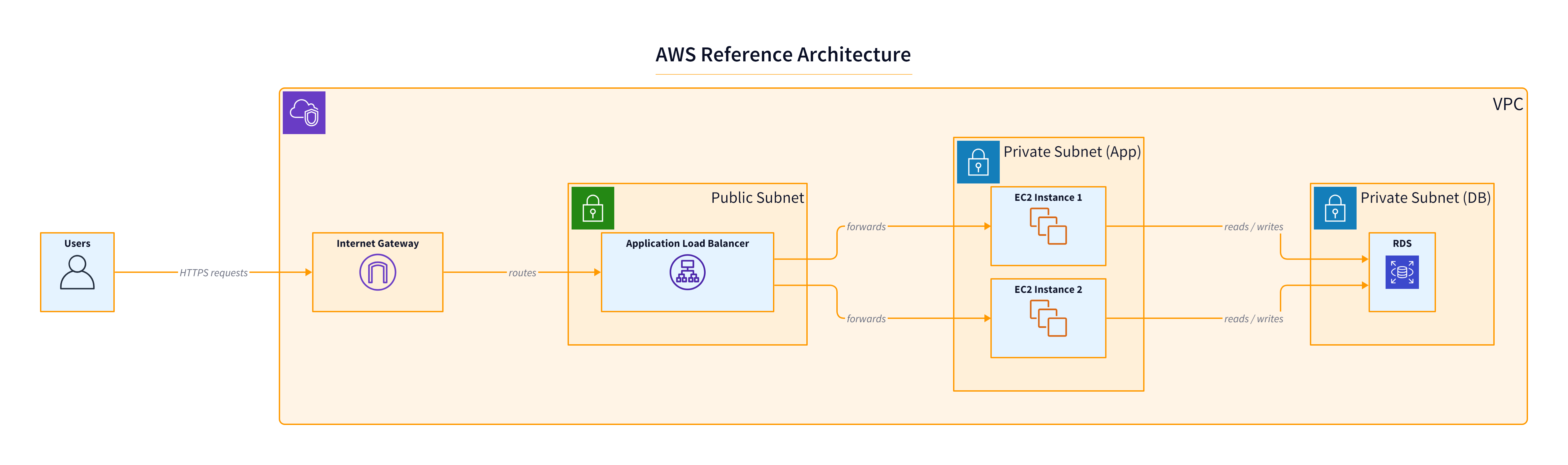
Terraform handles the implementation details.
D2 follows the same philosophy.
Instead of describing where every component should appear, you describe what exists and how everything is connected.
The rendering engine handles the visualization.
This declarative approach offers several advantages:
- Clean and readable syntax.
- Automatic layouts.
- Built-in support for grouping and containers.
- Multiple themes.
- Easy version control.
- Easy integration into documentation pipelines.
More importantly, D2 keeps the focus on the architecture itself instead of the diagram.
Rather than asking:
“Where should this box go?”
You ask:
“What is this service connected to?”
That subtle change makes architecture documentation much easier to maintain.
The Third Generation: AI + Diagram as Code
Diagram as Code solved many of the problems of manual diagramming.
But it also raised a new question.
If AI can understand software architecture, and D2 is just a declarative language, why should developers write the D2 code themselves?
This is where Large Language Models take the next step.
Instead of manually describing the architecture, developers can let AI generate the diagram directly.
The workflow becomes:
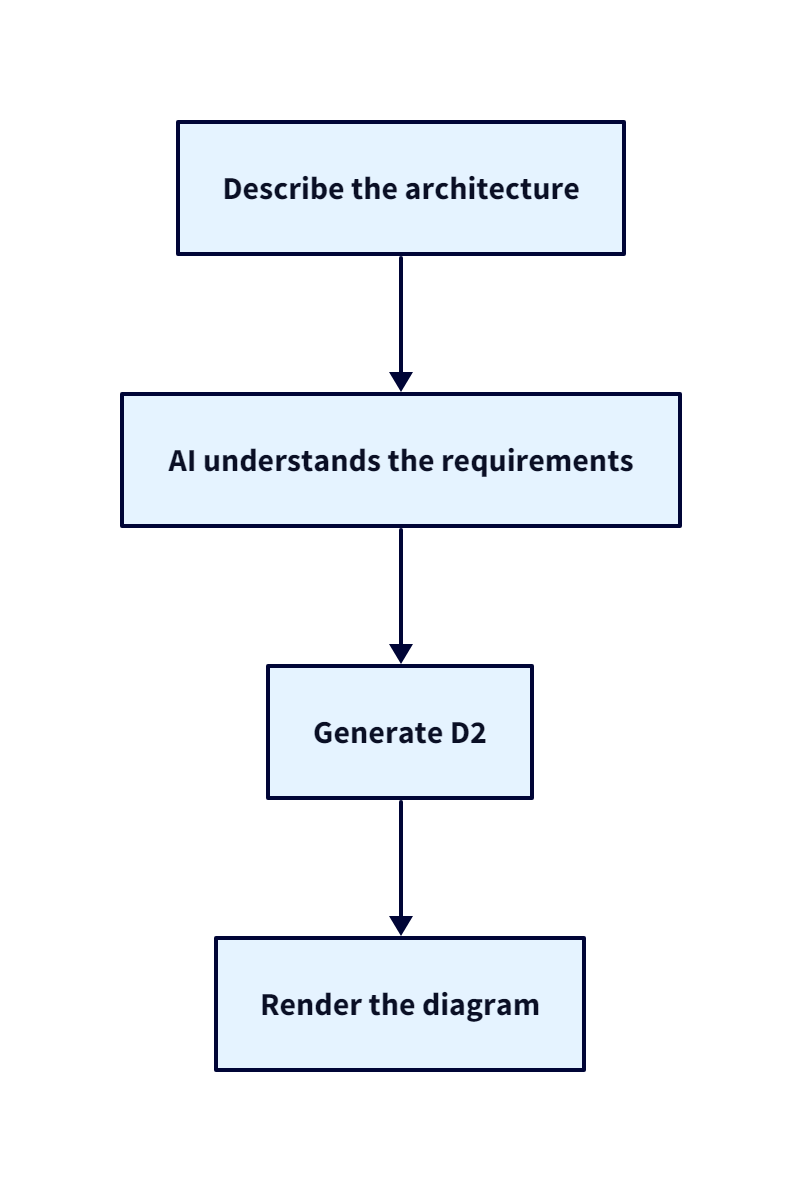
The engineer no longer needs to think about D2 syntax, diagram layouts, or translating architecture into another language.
Instead, they simply describe the system.
The AI handles the translation into D2 and generates the diagram, reducing the repetitive work involved in creating architecture diagrams.
How can we use AI + D2 ?
After experimenting with AI-generated D2 diagrams, I noticed something interesting.
A simple prompt such as:
Generate a D2 diagram for this architecture.
often produces good results—but not consistently.
The naming conventions may change, components may be grouped differently, and the overall organization can vary. Sometimes the diagram is clean and concise. Other times, it’s unnecessarily verbose.
The issue isn’t the model. It’s the lack of structured context. Every conversation starts from scratch, so the model has to infer how the diagram should be organized each time.
To solve this, I created a Claude Skill specifically for generating D2 architecture diagrams.
Instead of relying on a single prompt, the Skill provides Claude with clear instructions for architecture organization, component grouping, naming conventions, styling, best practices, and a consistent output structure.
This lets Claude focus less on deciding how to generate the diagram and more on understanding the architecture itself.
The result is cleaner, more maintainable, and more consistent D2 diagrams.
If you’d like to use it in your own projects, I’ve made the Skill publicly available:
Claude Skill Repository: https://github.com/RayanAhmed0/D2-Diagram-Skill
It can be used alongside D2 to generate architecture diagrams directly from natural language descriptions.
Comparing the Three Approaches
| Aspect | Manual Drawing | Diagram as Code | AI + Diagram as Code |
|---|---|---|---|
| Primary Focus | Drawing diagrams | Writing diagram definitions | Describing architecture |
| Learning Curve | Low | Medium | Low |
| Version Control | Limited | Excellent | Excellent |
| Maintainability | Low | High | High |
| Manual Work | High | Medium | Very Low |
| Consistency | Depends on the author | Depends on the author | Consistent through structured instructions |
| Best For | Brainstorming | Documentation | Documentation at scale |
Final Thoughts
The evolution of architecture documentation reflects a broader trend in software engineering: moving to higher levels of abstraction.
We no longer provision infrastructure manually—we describe it. We no longer configure complex deployments by hand—we automate them. Architecture documentation is following the same path.
The first generation focused on drawing systems. The second focused on describing them with code. The third focuses on describing the architecture while letting AI generate the implementation.
The goal isn’t to replace architectural thinking. It’s to eliminate the repetitive work. By removing the need to draw diagrams or write DSL syntax manually, engineers can spend more time designing systems and less time documenting them.
From what I’ve seen, combining D2 with a structured Claude Skill provides a strong balance of maintainability, consistency, and productivity. It makes architecture documentation feel less like a chore and more like a natural part of the development workflow.