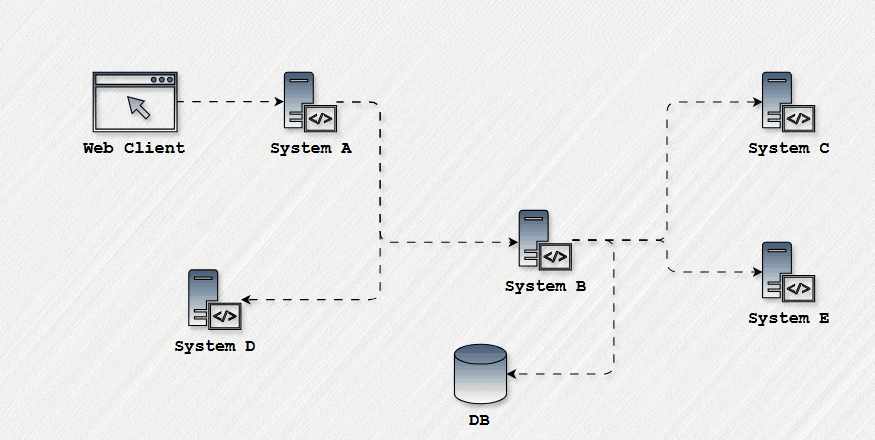
Backend APIs are essential for managing data management and business logic in complex system development. However, if these APIs are unavailable, integration testing may encounter difficulties. Mock APIs are very helpful in these situations and enable testing to continue without interruption. This article will explain how to use mock APIs as required by a project’s Business Requirements Document (BRD) to test integrations when the real server is unavailable.
Understanding the Role of the BRD
The Business Requirements Document (BRD) is the backbone of any development project, providing detailed specifications for features, including API request and response formats. The BRD dictates exactly how APIs should behave, what data they should accept, and what responses they should return, ensuring alignment with business needs.
For instance, consider a BRD specifying the following scenarios for a product creation feature:
BRD Specifications:
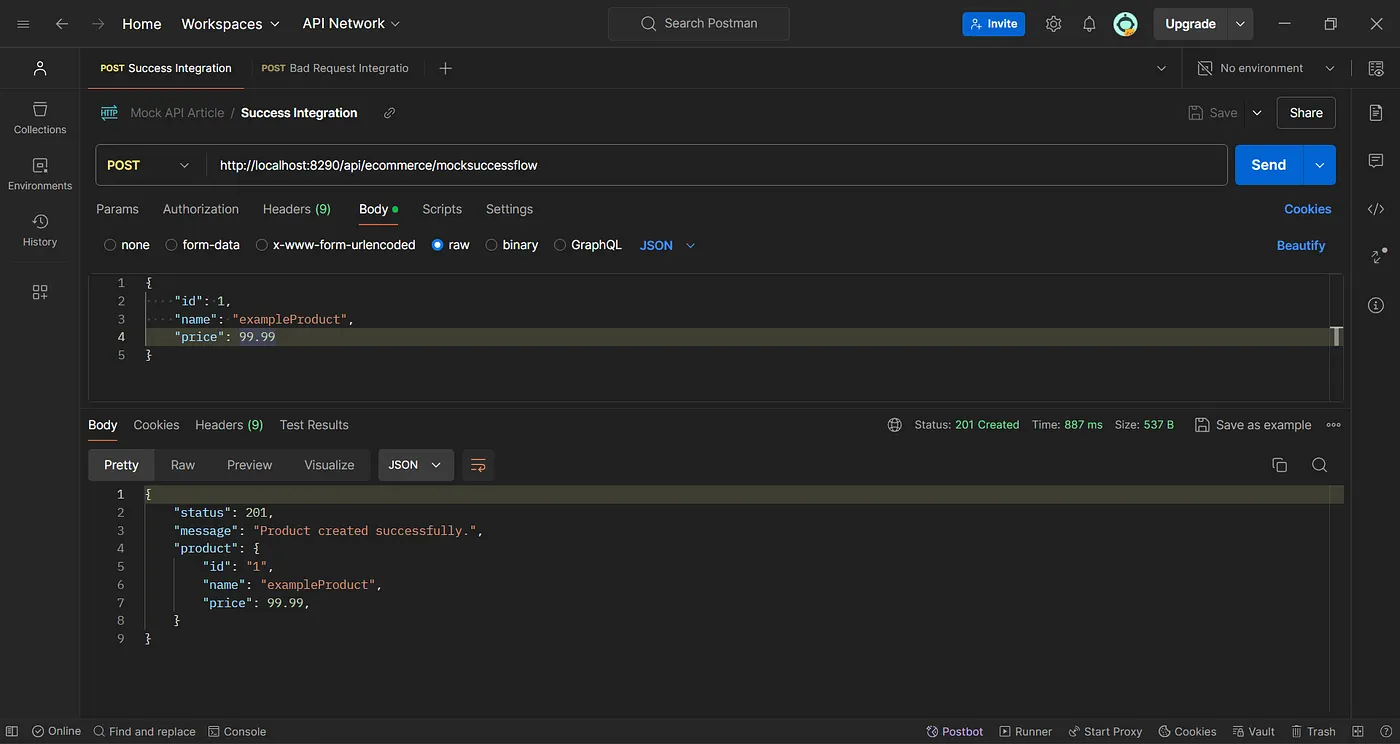
Successful Product Creation:
// Request:
{
  "id": 1,
  "name": "exampleProduct",
  "price": 99.99
}
// Response:
{
  "status": 201,
  "message": "Product created successfully.",
  "product": {
      "id": "1",
      "name": "exampleProduct",
      "price": 99.99
  }
}
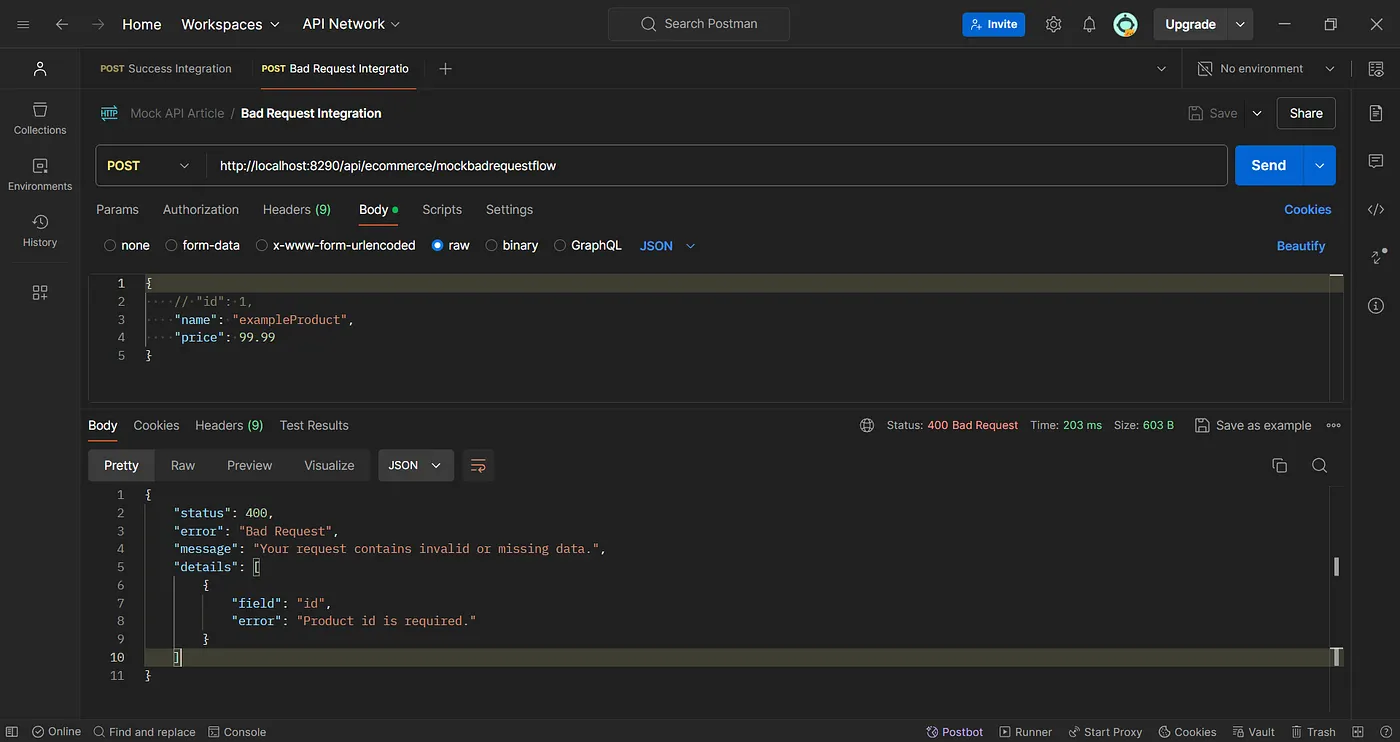
Bad Request Due to Validation Errors:
// Request:
{
  //"id": 1,
  "name": "exampleProduct",
  "price": 99
}
// Response:
{
  "status": 400,
  "error": "Bad Request",
  "message": "Your request contains invalid or missing data.",
  "details": [
      {
          "field": "id",
          "error": "Product id is required."
      }
  ]
}
The Need for Mock APIs for Testing
With the server down, following the BRD and continuing integration testing requires a different approach — using mock APIs. These simulated endpoints allow developers to:
- Continue Testing: Developers can continue testing the integration of different system components without the actual server.
- Validate Against BRD: Ensure that once the server is operational, the real APIs will handle requests and produce responses as specified in the BRD.
- Test Various Scenarios: From successful operations to handling errors and security enforcement, every aspect covered by the BRD can be tested.
For this part, I used SmartMock to create the Mock endpoints with the custom request/response as specified in the BRD.
Leveraging Integration Services for Effective Mock Integration
In software development, integration services are essential tools that enable seamless communication between different parts of a system. These services are crucial for simulating real-world scenarios, ensuring that various components interact smoothly even when the backend systems are not fully operational. While there are many integration tools and services available, I will be using WSO2 Integration Studio for my project due to its convenience and suitability for my specific needs.
Using Integration Services Effectively
To leverage integration services like WSO2 Integration Studio effectively, consider the following strategies:
- Setup Mock Endpoints: Utilize the tool to replace real API endpoints with mock endpoints within your integration flows. This setup is crucial for testing how different components of your system interact with each other under various scenarios, as defined in the BRD.
- Logging and Debugging: Take advantage of the logging features to monitor data flows and pinpoint issues in real time. This functionality is essential for debugging and ensuring that all integrations work as expected.
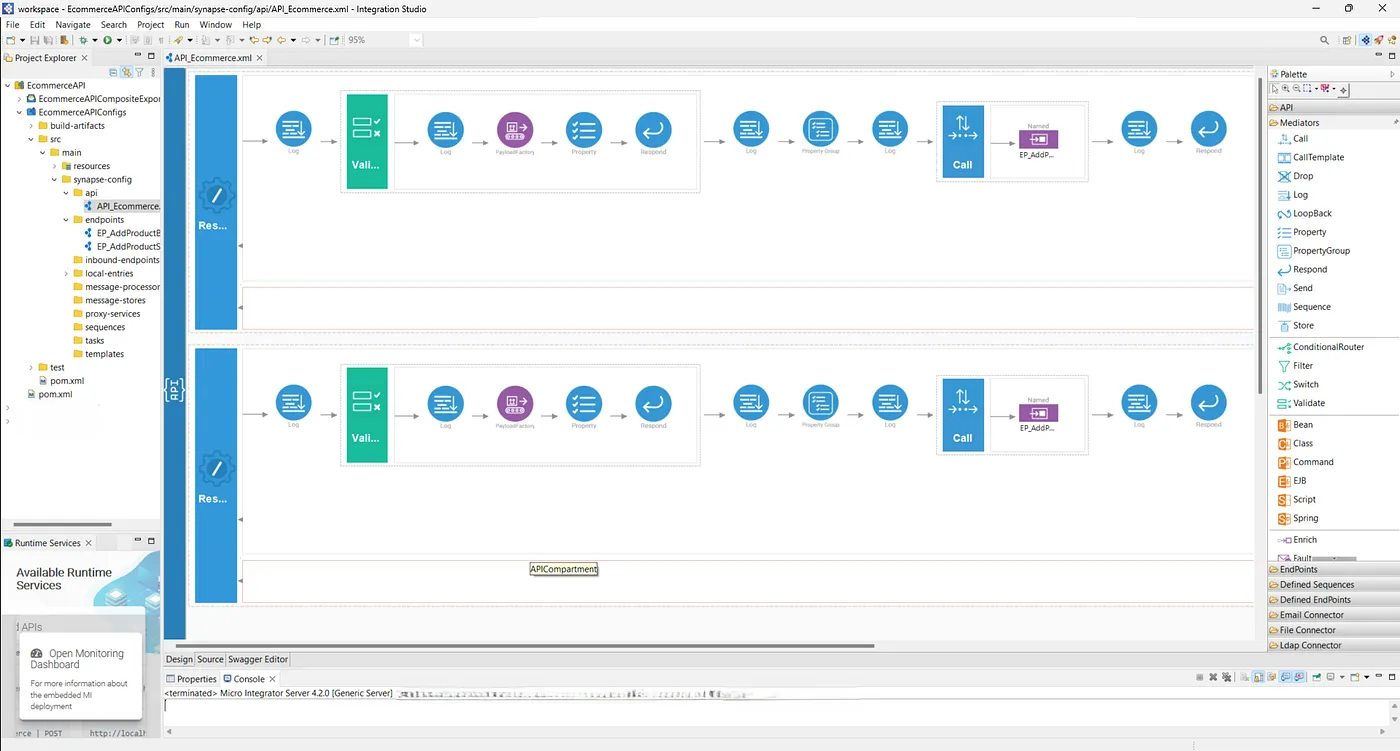
Testing Integration Between Integration Service and MockAPI
1. Postman Test Execution
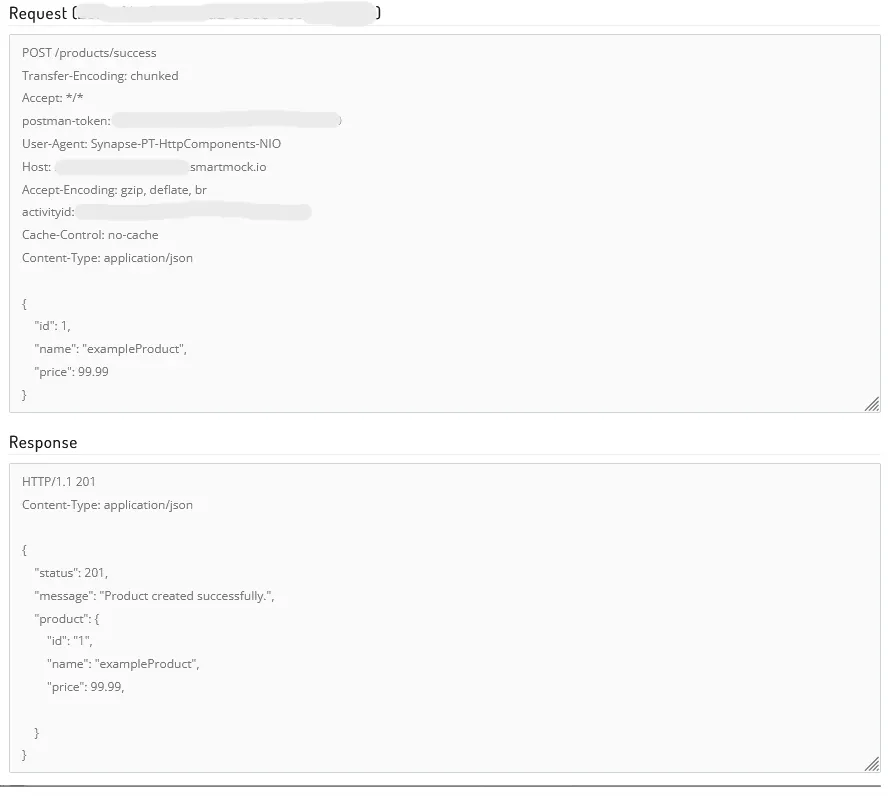
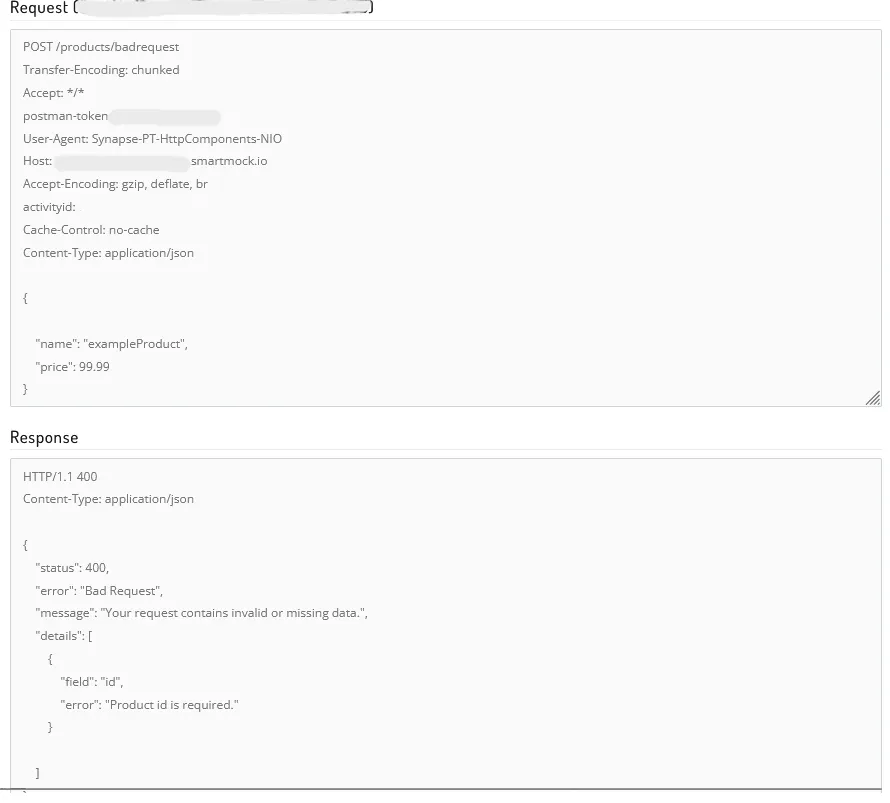
2. SmartMock Request Inspector
Request Details for Success:
Request Details for Bad Request:
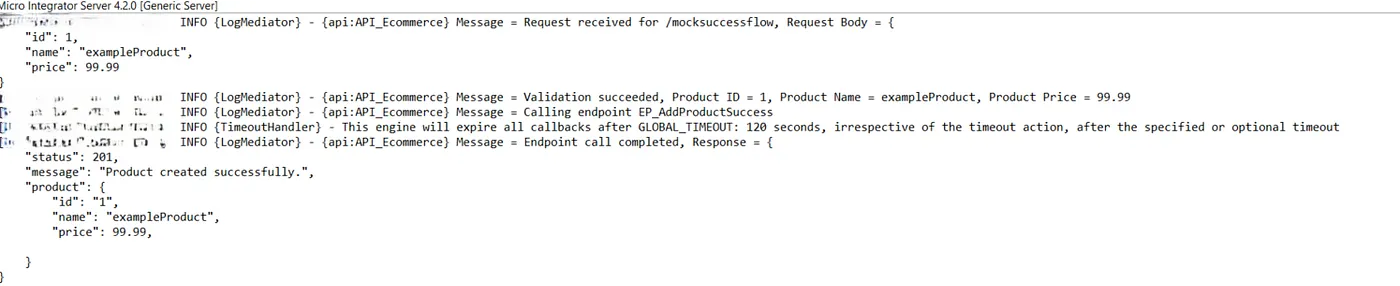
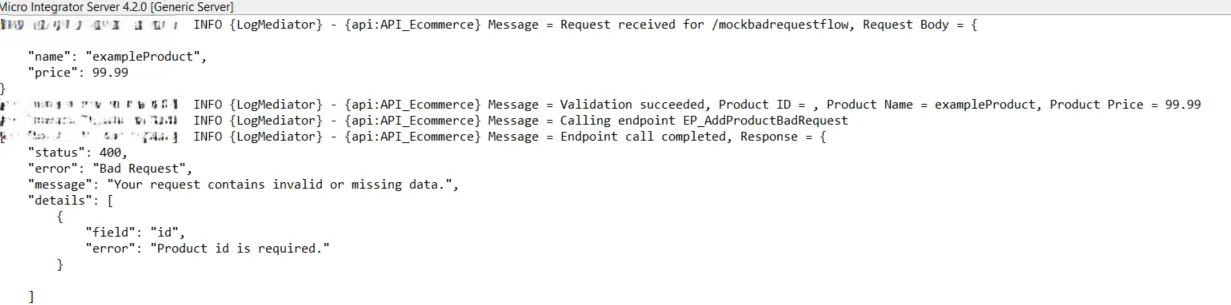
3. WSO2 Integration Studio Logs
Logs During Successful Integration Flow:
Logs During Bad Request Integration Flow:
Conclusion
This article has demonstrated how mock APIs are necessary for conducting integration testing when actual backend systems are unavailable. By integrating tools like SmartMock and WSO2 Integration Studio, developers can effectively simulate and test various API scenarios as outlined in the Business Requirements Document (BRD). This approach not only ensures that the system functions as expected under different conditions but also maintains testing momentum, regardless of backend availability. Utilizing these methods enhances the reliability and efficiency of the software development process, preparing systems to meet both present and future demands seamlessly.